


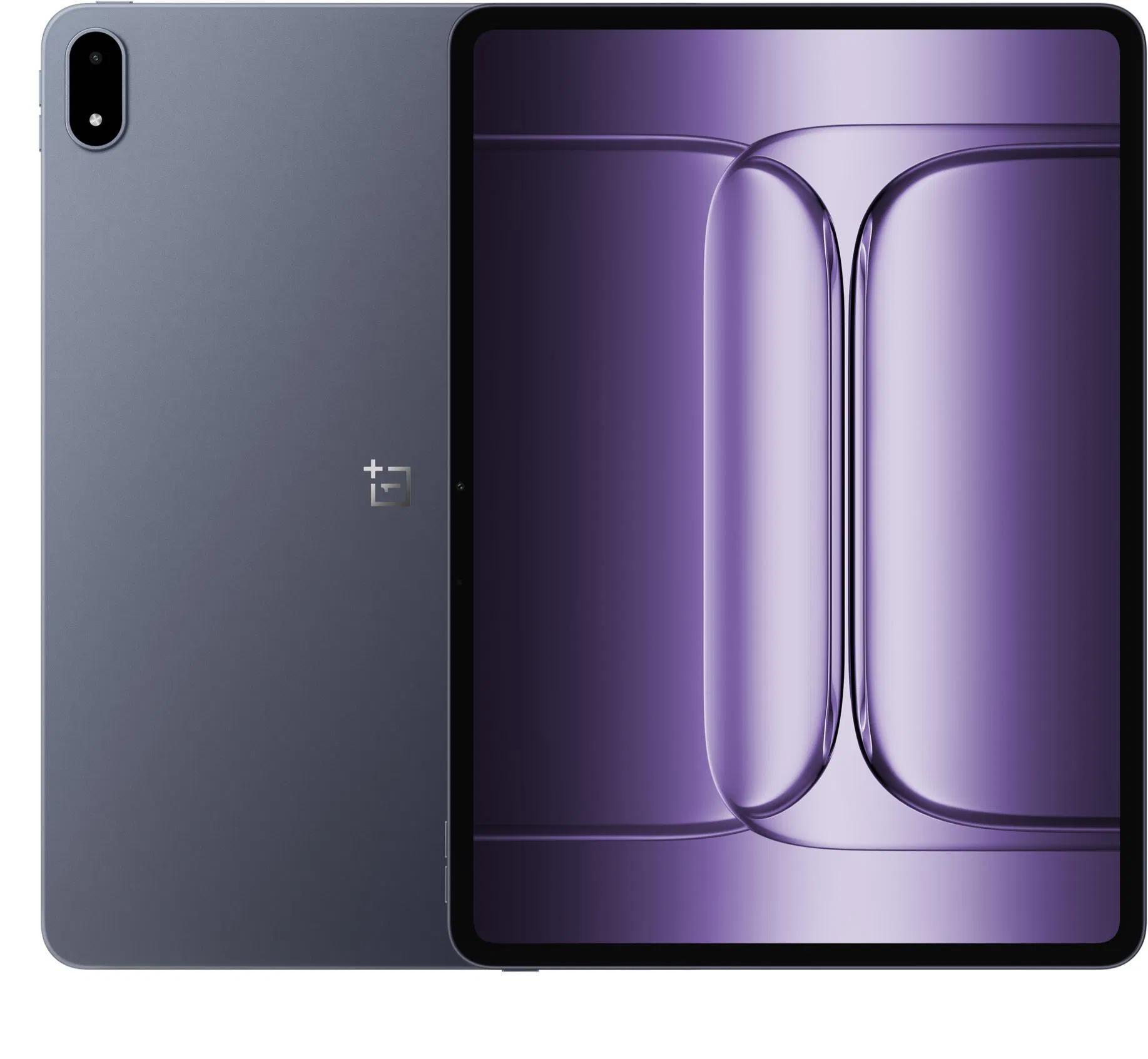
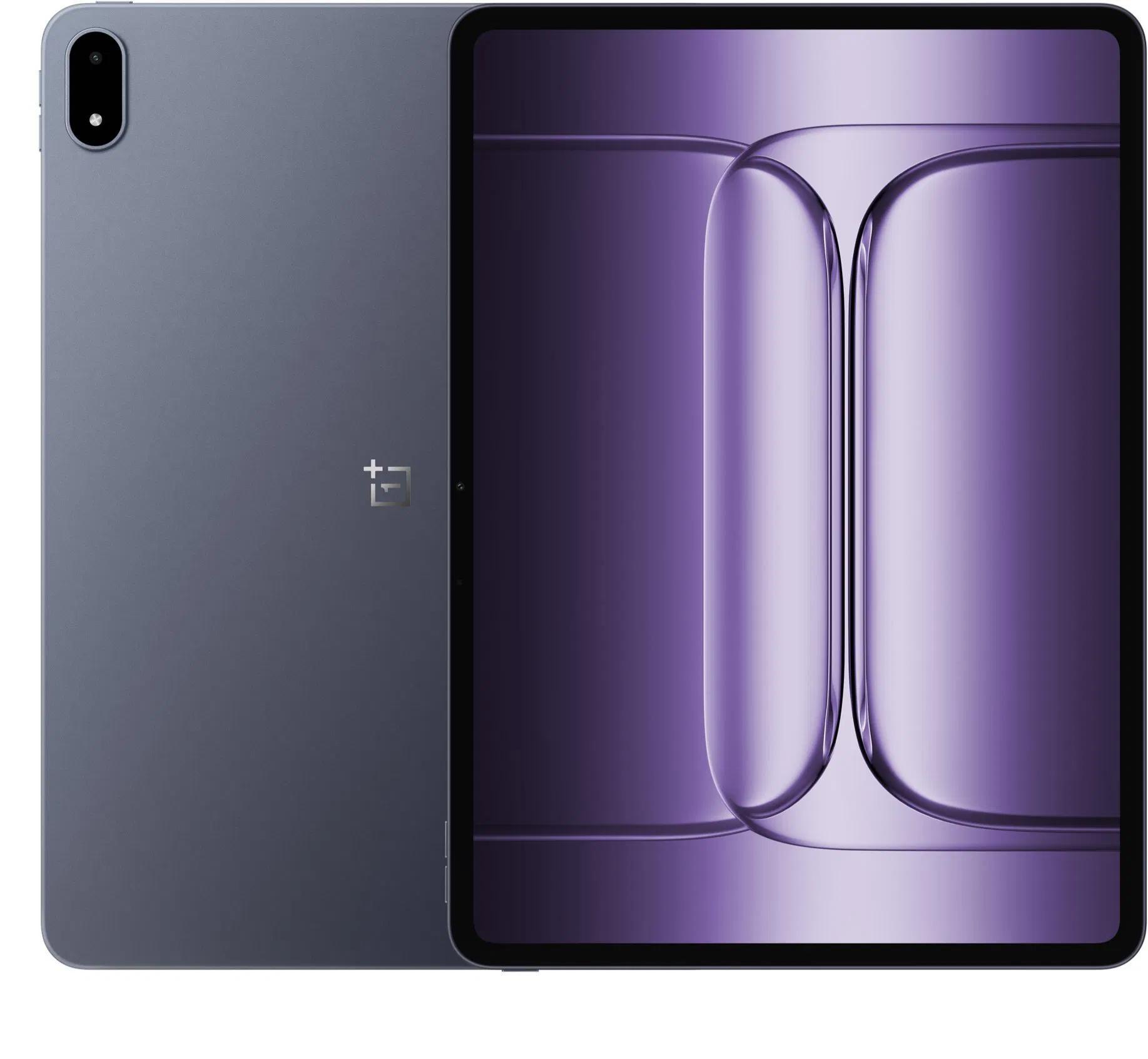
OnePlus officially introduced its new tablet OnePlus Pad 3, pushing the limits of specs and performance in the Android tablet category. Compared to its predecessor, it brings a bigger 13.2″ LCD display with 144 Hz, noticeably improved hardware led by Snapdragon 8 Elite, better connectivity, and a huge 12 140 mAh battery with fast 80 W charging. If you’re looking for a truly powerful and versatile device with a premium-class feel, the Pad 3 will be a very tempting choice for you.
We no longer sell it here
You’ll find the powerful OnePlus Pad 3 tablet at the best price on the AliExpress marketplace from trusted sellers. It’s a fully functional official global version available in our market. Shipping is from the EU warehouse, meaning delivery in as little as 1 week with no extra charges. The charging adapter is not included in the package.
OnePlus Pad 3, global version

TIPExpress delivery from the French warehouse with no customs duties or VAT.
This product will be delivered to you express from a local Spanish warehouse. Shipping from Spain usually takes 7–10 days and is handled by courier. When it arrives, you don’t pay any extra fees—no customs duties and no VAT.
TIPExpress delivery from the French warehouse with no customs duties or VAT.
This product will be delivered to you express from a local Spanish warehouse. Shipping from Spain usually takes 7–10 days and is handled by courier. When it arrives, you don’t pay any extra fees—no customs duties and no VAT.
TIPExpress delivery from a Spanish warehouse without customs duties or VAT.
This product will be delivered to you express from a local Spanish warehouse. Shipping from Spain usually takes 7–10 days and is handled by courier. When it arrives, you don’t pay any extra fees—no customs duties and no VAT.
13.2″ display with 3.4K resolution and Dolby Vision
The tablet’s display has a generous 13.2-inch diagonal, making it feel like a smaller laptop. It’s an LCD (LTPS) panel with 12-bit color, Dolby Vision HDR support, a maximum brightness of up to 900 nits, and a high resolution of 2400 × 3392 pixels (the so-called 3.4K) with a fast 144 Hz refresh rate. It also supports a stylus, so it’s perfect for creative work or taking notes.

Audio is handled by up to 8 speakers that deliver surround placement and an improved sound experience—something you’ll appreciate when watching movies or playing games. In this area, it’s one of the best-equipped Android tablets.
Powerful Snapdragon 8 Elite and the new generation of RAM
Under the hood, you’ll find the new Snapdragon 8 Elite, which is currently one of the most powerful chipsets for mobile devices. Compared to the previous generation, it offers improved power management and performance in every situation.

The tablet is sold in two memory versions: 12 GB LPDDR5X RAM with a 4266 MHz frequency and 16 GB LPDDR5T RAM with a top frequency of up to 4800 MHz. Storage is UFS 4.0 type and comes either with 256 GB or 512 GB.
A stronger battery with fast charging
OnePlus Pad 3 comes with a huge 12 140 mAh battery, ensuring all-day endurance even with demanding work. It also supports 80 W fast charging, which provides a quick energy top-up. Compared to the OnePlus Pad 2, it’s a big step forward—not only in capacity, but also in charging speed. However, the charging adapter is not included in the package.

Thanks to efficient power management and software optimization, you don’t have to worry about the tablet leaving you hanging in the middle of the day.
Cameras that won’t disappoint
OnePlus Pad 3 isn’t primarily designed for photography, but it still offers a solid camera setup for everyday needs. The rear camera has a resolution of 13 MP and can record video up to 4K resolution at 30 fps. It also supports lower resolutions like 1080p or 720p—all at 30 frames per second. The default setting is 1080p@30fps.

On the front, there’s an 8 MPx selfie camera that more than covers video calls, online lessons, or occasional photos. There’s also support for EIS (electronic image stabilization) for videos and the ability to digitally zoom with the rear camera, which you’ll appreciate, for example, when recording board notes or photographing documents.
Camera equipment
| OnePlus Pad 3 | |
|---|---|
| Rear camera | 13 MPx |
| Front camera | 8 MPx |
| Video (rear) | 4K/1080P/720P @ 30 fps (default: 1080P @ 30 fps) |
| Stabilization | EIS (electronic image stabilization) |
| Zoom | Digital zoom |
OnePlus AI and smooth connection with other devices
The operating system includes OnePlus AI features powered by the Google Gemini model. These include voice-to-text transcription, document summaries, a translator, a writing assistant, “Circle to Search,” and other tools to streamline your work.

Seamless Connectivity is also included—meaning a connection with your OnePlus phone. This lets you easily transfer files, sync notifications, or sync your clipboard. The tablet also supports drag-and-drop file transfer with a MacBook, multitasking gestures, and more handy extras.
Premium accessories: keyboard and stylus
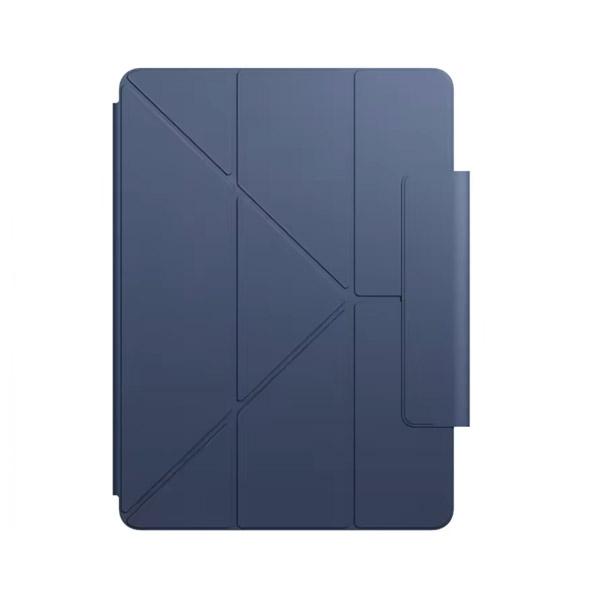
With the OnePlus Pad 3, you can also pair new accessories. Available is the Stylus 2 with support for up to 16,000 pressure levels, ultra-low latency, haptic feedback, and even a laser pointer.

There’s also the OnePlus Smart Keyboard—a 6-row keyboard with a row of function keys, a touchpad, and NFC for easy pairing. With this add-on, your tablet essentially becomes a full-fledged work tool.
OnePlus Pad 3 tablet specifications
| - | OnePlus Pad 3 |
|---|---|
| Display | 13.2" IPS LCD / 2400 × 3392 px / Dolby Vision HDR / 900 nits |
| Processor | Snapdragon 8 Elite |
| RAM | 12 GB LPDDR5X / 16 GB LPDDR5T |
| Storage | 256 GB / 512 GB UFS 4.0 |
| Audio | 8 speakers / spatial layout |
| Battery | 12,140 mAh / 80 W charging |
| Pen | Stylo 2 / 16K pressure levels / haptics / laser pointer |
| Keyboard | 6-row with touchpad / NFC connection |
| OS and AI | OnePlus AI / Google Gemini / Seamless sync |
| Color | Storm Blue |
OnePlus Stylo 2
OnePlus Stylo 2 is the new generation of an intelligent stylus designed for OnePlus’s latest tablets—specifically the OnePlus Pad 2 models and the original OnePlus Pad. Good news: if your tablet is updated to system version 14.0, the new pen will be fully compatible, just like its predecessor. That way, you can choose between two models, with Stylo 2 bringing several improvements in terms of responsiveness, accuracy, and overall user experience. Of course, it also supports the new OnePlus Pad 3.
16,000 pressure levels and paper-like responsiveness
Typing and drawing on a tablet often can’t replace the feel of a classic pen on paper. That’s exactly why OnePlus decided to solve the problem— the new Stylo 2 is equipped with technology that, thanks to a fine vibration motor and practically instant response, creates the impression that you’re truly writing on paper. This stylus is designed to minimize lag when drawing or writing while also delivering excellent haptic feedback that enhances the overall experience.

The manufacturer claims support for up to 16,000 pressure-sensing levels, which anyone who wants to add even the smallest nuance to their drawing or writing will appreciate. Whether you’re a designer, a student, or a creative enthusiast, OnePlus Stylo 2 gives you full control over how your line will look on the screen—from the lightest stroke to strong emphasis.
Fast reactions, long battery life, and perfect tablet integration
Another advantage of the pen is its battery life and the option to magnetically attach to the tablet. The pen automatically pairs and charges without any complicated setup. Thanks to support for the Bluetooth Low Energy protocol, it uses little battery—both on the tablet and on the stylus itself—making it an ideal helper for everyday use.
When you write, you’ll also notice a feature that removes unintended touches (palm rejection), which is extremely useful when holding the stylus naturally and resting your palm on the screen. Your note or drawing will continue undisturbed even when you’re fully using it.
Follow the China Planet website, subscribe to our monthly newsletter, and be sure to check out our Facebook page, the All from EU warehouses group, and subscribe to
Don’t miss the best coupons 📩
Subscribe and we’ll email you new coupons before they expire. We only send it once a month — no spam.


Discussion (4)
Hi, are there any discount coupons for this tablet? Honestly, I don’t really care which version—I just want the lowest possible price, thank you.
It’s not worth it with Ali right now—it’s sold out with reliable sellers.
Can a similar discount be arranged? It would really help me with developing this game and this tablet. Thank you.
Sorry, we can’t get you a better price on Ali. We can only apply the available coupons. Right now, only the 16 + 512 GB version is available for €454.58.