


If your car has wired Apple CarPlay or Android Auto, but you want more comfort and multimedia features without cables, OTTOCAST Play2Video Pro is exactly the solution you're looking for. This small adapter turns your infotainment interface into a full-fledged multimedia system with Android 12, without any installation or modifications to the car. That means you get not only wireless CarPlay and Android Auto, but also direct access to apps like Netflix, YouTube, IPTV, TikTok or Spotify – right on your car's display.
Coupon price
OTTOCAST Play2Video Pro is available from a verified seller on AliExpress, with delivery available in 10 to 15 business days with no additional customs duty. You can choose a version with or without a remote control, which we especially recommend for vehicles with a non-touch display.
OTTOCAST Play2Video Pro
 15-day delivery
TIP15-day delivery via Aliexpress Standard Shipping
For this product, AliExpress Standard Shipping is available with guaranteed delivery within 15 days. This is the most reliable shipping method and in most cases it’s delivered by a courier company. 15-day delivery we’ve tested it for real.
When you order from a Chinese warehouse, AliExpress adds a customs fee to your cart of about €3,70 per order. When you receive the package, you don’t pay anything extra.
Reviewers recommend it too
The first user reviews have already appeared, including a video review on YouTube that shows startup speed, streaming service functionality, and the overall user interface.
Three modes, Android 12 and online and offline video playback
The device hides Android 12 inside and lets you smoothly switch between three modes: wireless CarPlay, wireless Android Auto, and a standalone Android system with apps. Thanks to dual-band Wi-Fi support (2,4 + 5 GHz), streaming is smooth and stable. It also supports OTA software updates and video playback from a USB drive – just load a movie or series, plug in the drive, and watch without needing the internet.


Compatible with more than 800 models
Connection is plug & play – plug the adapter into the car via the USB port, your phone connects via Bluetooth and Wi-Fi, and everything is ready in 10 to 25 seconds. Next time, you just get in and the device automatically connects in 10–15 seconds.
The adapter is compatible with more than 800 car models from 2016 onward that have original wired CarPlay (e.g. Volkswagen, Toyota, Kia, Hyundai, Ford and others). However, it does not support BMW, Tesla, or some aftermarket systems, such as Sony. You can also check compatibility with specific vehicles on this page. It’s important that the infotainment system has a touchscreen; otherwise, we recommend the version with a remote control.


Apple CarPlay and Android Auto
The controls are intuitive – touch input on the display, steering wheel buttons, rotary controllers, and voice commands are all supported. However, the system only allows switching between the CarPlay/Android Auto mode and Android – these modes cannot run at the same time, which means that while watching videos, you can’t use navigation via CarPlay.
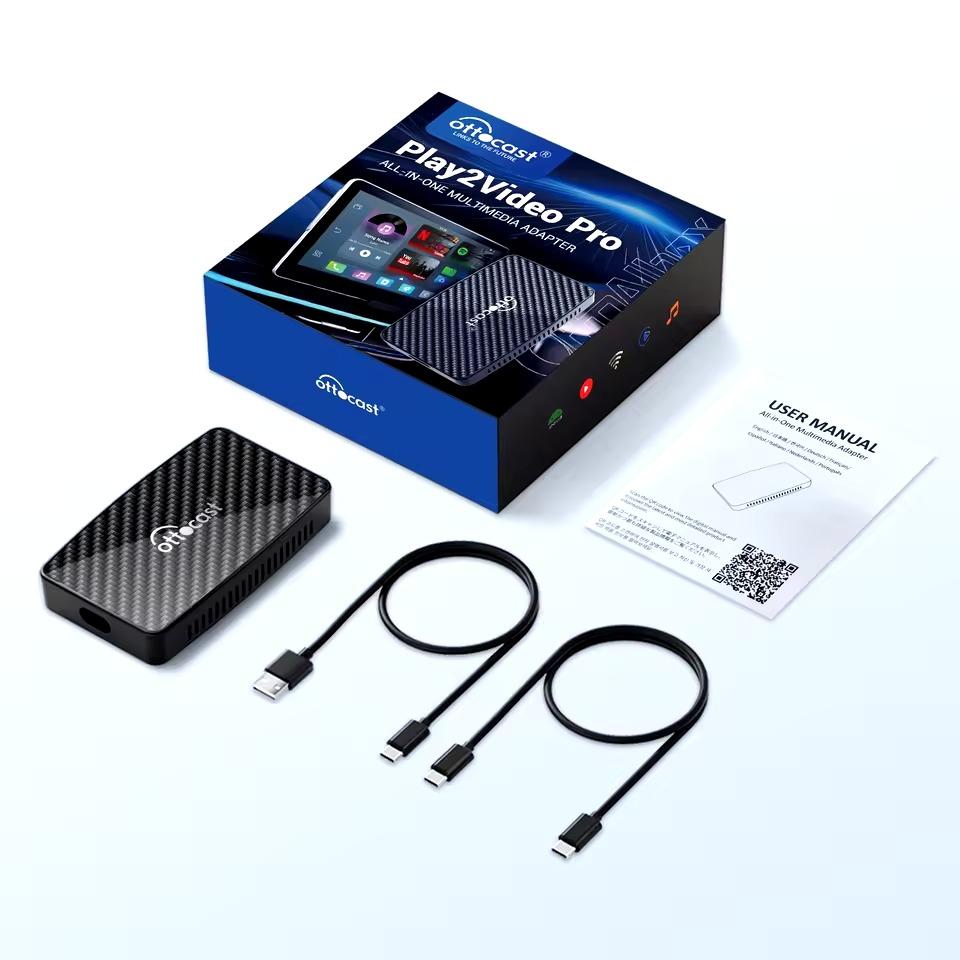
The package includes the OTTOCAST Play2Video Pro adapter itself, a USB cable for connecting to the infotainment system, and, in the extended version, also a remote control. The manufacturer also offers technical support and a 12-month warranty, and if needed, the adapter can be updated via the built-in OTA app.
Follow the China Planet website, sign up for our monthly newsletter, and make sure you also follow our Facebook page, the group All from EU warehouses, and join our Telegram—where we add the best deals and coupons from China day after day.
Don’t miss the best coupons 📩
Subscribe and we’ll email you new coupons before they expire. We only send it once a month — no spam.


Discussion (0)