Realme, this is no longer just an unknown Chinese manufacturer. Today it produces premium Android smartphones with the top-tier Snapdragon 8 Elite processor and an OLED display, for example realme GT 7 Pro 5G.
Great deal with a coupon only until tomorrow at 8:00
realme GT 7 Pro 5G you can order on the well-known online marketplace, Aliexpress.com. Shipping will be free from the Spanish warehouse and delivered to you in as little as 6 – 11 days , with the package brought to your door by the courier.
This is a global version with support for all our networks, Google services, and also SK/CZ language support. At the seller Realme Flagship Store , you get the official 2-year realme warranty , and service with us is handled by VSP Data in a similar way as with Xiaomi smartphones.
realme GT 7 Pro 5G, global version 12 + 256 GB, 2-year warranty 491,42 € ES warehouse 12 + 512 GB, 2 years warranty 568,92 € ES warehouse 651,30 € You save 159,88 €
491,42 €
Price history 77,54 € cheaper than the average price Cheapest 491,42 € Most expensive 651,30 €
3 mo. 6 mo. 1 year Max
Updated 25. 3. 2026 at 16:05 TIP Express delivery from a Spanish warehouse without customs duties or VAT.This product will be delivered to you express from a local Spanish warehouse. Shipping from Spain usually takes 7–10 days and is handled by courier. When it arrives, you don’t pay any extra fees—no customs duties and no VAT.
Track this product’s price As soon as we post a new coupon, we’ll send you an email. You can unsubscribe from tracking anytime.
Are you shopping on AliExpress for the first time?
The process is via the AliExpress mobile app, where most people shop. There are two key things: don’t use Buy now and enter the coupon only in the order summary, in the field Promo code . After you click Pay now , you won’t be able to add it.
Copy the code and click Use discount In our article, copy the coupon and click the button GET DISCOUNT . The link will take you directly to the product in the AliExpress app. Use Add to cart instead of Buy now On the product card, scroll down and tap Add to cart . Don’t use the Buy now button—you’ll skip the cart, and later you won’t have anywhere to enter the coupon. Before that, double-check the variant: the color, the version, and whether it ships from an EU warehouse. Through the cart, go to Checkout A pop-up will appear: Added to cart! — tap Check it out in it. If it disappeared, open the cart with the icon at the bottom right. In the cart, check the product and quantity, then click the red Checkout . Only the items marked with the red ring will be applied. Enter your address and card, then look for Promo code In the order summary, first fill in the delivery address and payment card at the top. Below them there’s a line Promo code — expand it with the arrow on the right.
Look for this line under the address and payment method. Paste the code and confirm Apply In the field Promo code paste the copied code and click the black Apply . The code is case-sensitive and must not contain spaces.
Paste the code into the field and confirm with the Apply button. Check the savings and pay In the Summary expand the line Saved — you’ll see the applied coupon there as AliExpress coupons/codes . Only when Total is really lower, click Pay now .
The applied coupon will appear in the Saved line and will reduce the Total.
Apply the discount already at the order summary. After you click Pay now, you can no longer add a coupon. If Apply shows an error, the code has either expired, doesn’t apply to your items, or the order doesn’t meet the minimum amount.
The Store Coupon also goes in the same field. — a coupon from the seller itself, which isn’t always available and changes from day to day. AliExpress coupons can’t be combined, so try both and go with the one that gives you more. Coins are added automatically.
Price history 66,15 € cheaper than the average price Cheapest 568,92 € Most expensive 708,65 €
3 mo. 6 mo. 1 year Max
Updated 25. 3. 2026 at 16:05 TIP Express delivery from a Spanish warehouse without customs duties or VAT.This product will be delivered to you express from a local Spanish warehouse. Shipping from Spain usually takes 7–10 days and is handled by courier. When it arrives, you don’t pay any extra fees—no customs duties and no VAT.
Track this product’s price As soon as we post a new coupon, we’ll send you an email. You can unsubscribe from tracking anytime.
Are you shopping on AliExpress for the first time?
The process is via the AliExpress mobile app, where most people shop. There are two key things: don’t use Buy now and enter the coupon only in the order summary, in the field Promo code . After you click Pay now , you won’t be able to add it.
Copy the code and click Use discount In our article, copy the coupon and click the button GET DISCOUNT . The link will take you directly to the product in the AliExpress app. Use Add to cart instead of Buy now On the product card, scroll down and tap Add to cart . Don’t use the Buy now button—you’ll skip the cart, and later you won’t have anywhere to enter the coupon. Before that, double-check the variant: the color, the version, and whether it ships from an EU warehouse. Through the cart, go to Checkout A pop-up will appear: Added to cart! — tap Check it out in it. If it disappeared, open the cart with the icon at the bottom right. In the cart, check the product and quantity, then click the red Checkout . Only the items marked with the red ring will be applied. Enter your address and card, then look for Promo code In the order summary, first fill in the delivery address and payment card at the top. Below them there’s a line Promo code — expand it with the arrow on the right.
Look for this line under the address and payment method. Paste the code and confirm Apply In the field Promo code paste the copied code and click the black Apply . The code is case-sensitive and must not contain spaces.
Paste the code into the field and confirm with the Apply button. Check the savings and pay In the Summary expand the line Saved — you’ll see the applied coupon there as AliExpress coupons/codes . Only when Total is really lower, click Pay now .
The applied coupon will appear in the Saved line and will reduce the Total.
Apply the discount already at the order summary. After you click Pay now, you can no longer add a coupon. If Apply shows an error, the code has either expired, doesn’t apply to your items, or the order doesn’t meet the minimum amount.
The Store Coupon also goes in the same field. — a coupon from the seller itself, which isn’t always available and changes from day to day. AliExpress coupons can’t be combined, so try both and go with the one that gives you more. Coins are added automatically.
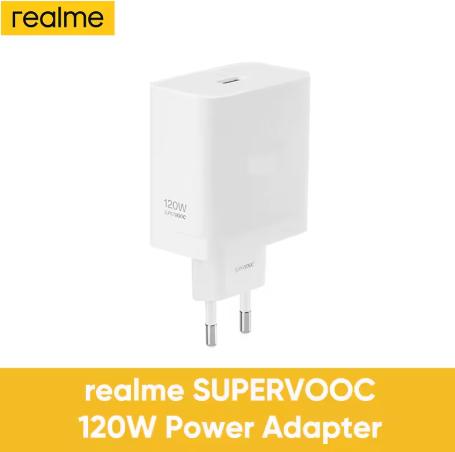
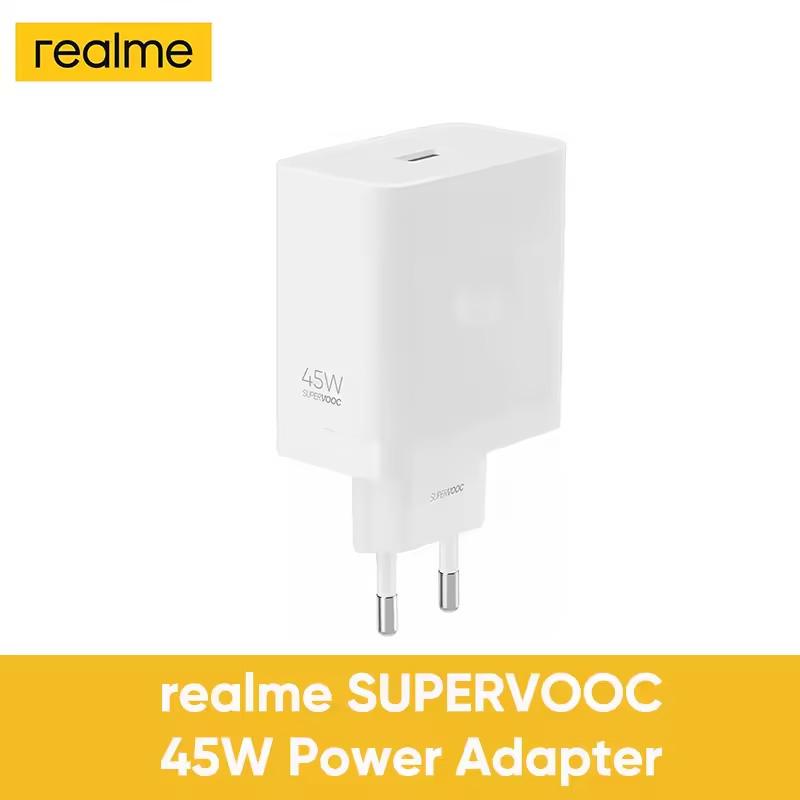
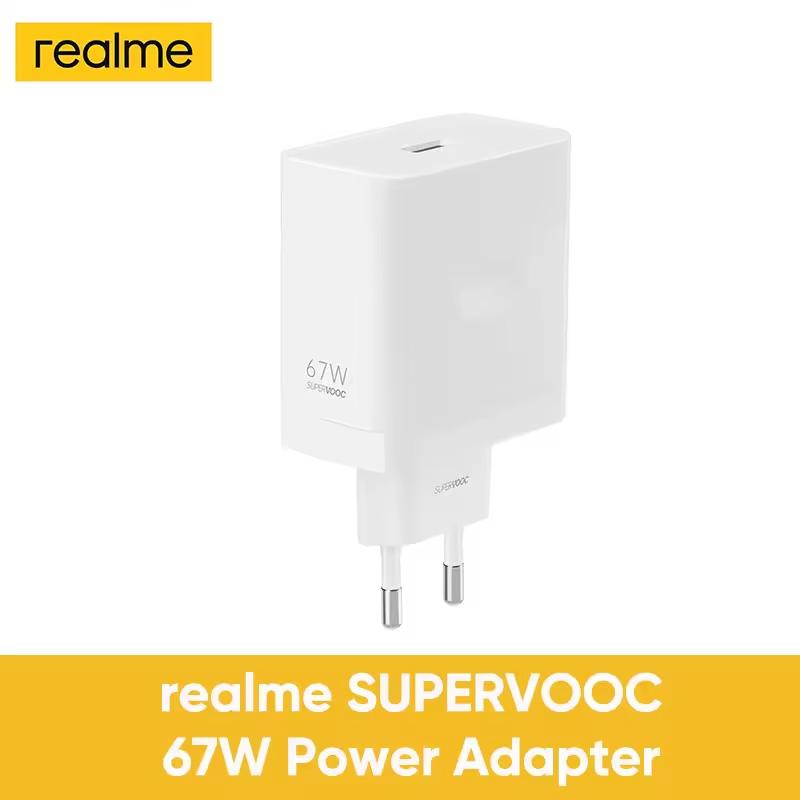
Original SuperVOOC EU chargers, 2-year warranty 120 W SUPERVOOC charger 25,24 € ES warehouse 80 W dual port SUPERVOOC charger + cable 24,67 € ES warehouse 80 W SUPERVOOC charger 22,67 € ES warehouse 67 W SUPERVOOC charger 17,04 € ES warehouse 32,37 € You save 7,13 €
25,24 €
Price history 2,04 € more expensive than the average price Cheapest 20,20 € Most expensive 27,37 €
3 mo. 6 mo. 1 year Max
Updated 26. 3. 2026 at 12:27 TIP Express delivery from a Spanish warehouse without customs duties or VAT.This product will be delivered to you express from a local Spanish warehouse. Shipping from Spain usually takes 7–10 days and is handled by courier. When it arrives, you don’t pay any extra fees—no customs duties and no VAT.
Track this product’s price As soon as we post a new coupon, we’ll send you an email. You can unsubscribe from tracking anytime.
Are you shopping on AliExpress for the first time?
The process is via the AliExpress mobile app, where most people shop. There are two key things: don’t use Buy now and enter the coupon only in the order summary, in the field Promo code . After you click Pay now , you won’t be able to add it.
Copy the code and click Use discount In our article, copy the coupon and click the button GET DISCOUNT . The link will take you directly to the product in the AliExpress app. Use Add to cart instead of Buy now On the product card, scroll down and tap Add to cart . Don’t use the Buy now button—you’ll skip the cart, and later you won’t have anywhere to enter the coupon. Before that, double-check the variant: the color, the version, and whether it ships from an EU warehouse. Through the cart, go to Checkout A pop-up will appear: Added to cart! — tap Check it out in it. If it disappeared, open the cart with the icon at the bottom right. In the cart, check the product and quantity, then click the red Checkout . Only the items marked with the red ring will be applied. Enter your address and card, then look for Promo code In the order summary, first fill in the delivery address and payment card at the top. Below them there’s a line Promo code — expand it with the arrow on the right.
Look for this line under the address and payment method. Paste the code and confirm Apply In the field Promo code paste the copied code and click the black Apply . The code is case-sensitive and must not contain spaces.
Paste the code into the field and confirm with the Apply button. Check the savings and pay In the Summary expand the line Saved — you’ll see the applied coupon there as AliExpress coupons/codes . Only when Total is really lower, click Pay now .
The applied coupon will appear in the Saved line and will reduce the Total.
Apply the discount already at the order summary. After you click Pay now, you can no longer add a coupon. If Apply shows an error, the code has either expired, doesn’t apply to your items, or the order doesn’t meet the minimum amount.
The Store Coupon also goes in the same field. — a coupon from the seller itself, which isn’t always available and changes from day to day. AliExpress coupons can’t be combined, so try both and go with the one that gives you more. Coins are added automatically.
34,16 € You save 9,49 €
24,67 €
Price history 2,46 € cheaper than the average price Cheapest 24,67 € Most expensive 30,16 €
3 mo. 6 mo. 1 year Max
Updated 26. 3. 2026 at 12:27 TIP Express delivery from a Spanish warehouse without customs duties or VAT.This product will be delivered to you express from a local Spanish warehouse. Shipping from Spain usually takes 7–10 days and is handled by courier. When it arrives, you don’t pay any extra fees—no customs duties and no VAT.
Track this product’s price As soon as we post a new coupon, we’ll send you an email. You can unsubscribe from tracking anytime.
Are you shopping on AliExpress for the first time?
The process is via the AliExpress mobile app, where most people shop. There are two key things: don’t use Buy now and enter the coupon only in the order summary, in the field Promo code . After you click Pay now , you won’t be able to add it.
Copy the code and click Use discount In our article, copy the coupon and click the button GET DISCOUNT . The link will take you directly to the product in the AliExpress app. Use Add to cart instead of Buy now On the product card, scroll down and tap Add to cart . Don’t use the Buy now button—you’ll skip the cart, and later you won’t have anywhere to enter the coupon. Before that, double-check the variant: the color, the version, and whether it ships from an EU warehouse. Through the cart, go to Checkout A pop-up will appear: Added to cart! — tap Check it out in it. If it disappeared, open the cart with the icon at the bottom right. In the cart, check the product and quantity, then click the red Checkout . Only the items marked with the red ring will be applied. Enter your address and card, then look for Promo code In the order summary, first fill in the delivery address and payment card at the top. Below them there’s a line Promo code — expand it with the arrow on the right.
Look for this line under the address and payment method. Paste the code and confirm Apply In the field Promo code paste the copied code and click the black Apply . The code is case-sensitive and must not contain spaces.
Paste the code into the field and confirm with the Apply button. Check the savings and pay In the Summary expand the line Saved — you’ll see the applied coupon there as AliExpress coupons/codes . Only when Total is really lower, click Pay now .
The applied coupon will appear in the Saved line and will reduce the Total.
Apply the discount already at the order summary. After you click Pay now, you can no longer add a coupon. If Apply shows an error, the code has either expired, doesn’t apply to your items, or the order doesn’t meet the minimum amount.
The Store Coupon also goes in the same field. — a coupon from the seller itself, which isn’t always available and changes from day to day. AliExpress coupons can’t be combined, so try both and go with the one that gives you more. Coins are added automatically.
28,37 € You save 5,70 €
22,67 €
Price history 0,08 € more expensive than the average price Cheapest 16,73 € Most expensive 28,37 €
3 mo. 6 mo. 1 year Max
Updated 26. 3. 2026 at 12:27 TIP Express delivery from a Spanish warehouse without customs duties or VAT.This product will be delivered to you express from a local Spanish warehouse. Shipping from Spain usually takes 7–10 days and is handled by courier. When it arrives, you don’t pay any extra fees—no customs duties and no VAT.
Track this product’s price As soon as we post a new coupon, we’ll send you an email. You can unsubscribe from tracking anytime.
Are you shopping on AliExpress for the first time?
The process is via the AliExpress mobile app, where most people shop. There are two key things: don’t use Buy now and enter the coupon only in the order summary, in the field Promo code . After you click Pay now , you won’t be able to add it.
Copy the code and click Use discount In our article, copy the coupon and click the button GET DISCOUNT . The link will take you directly to the product in the AliExpress app. Use Add to cart instead of Buy now On the product card, scroll down and tap Add to cart . Don’t use the Buy now button—you’ll skip the cart, and later you won’t have anywhere to enter the coupon. Before that, double-check the variant: the color, the version, and whether it ships from an EU warehouse. Through the cart, go to Checkout A pop-up will appear: Added to cart! — tap Check it out in it. If it disappeared, open the cart with the icon at the bottom right. In the cart, check the product and quantity, then click the red Checkout . Only the items marked with the red ring will be applied. Enter your address and card, then look for Promo code In the order summary, first fill in the delivery address and payment card at the top. Below them there’s a line Promo code — expand it with the arrow on the right.
Look for this line under the address and payment method. Paste the code and confirm Apply In the field Promo code paste the copied code and click the black Apply . The code is case-sensitive and must not contain spaces.
Paste the code into the field and confirm with the Apply button. Check the savings and pay In the Summary expand the line Saved — you’ll see the applied coupon there as AliExpress coupons/codes . Only when Total is really lower, click Pay now .
The applied coupon will appear in the Saved line and will reduce the Total.
Apply the discount already at the order summary. After you click Pay now, you can no longer add a coupon. If Apply shows an error, the code has either expired, doesn’t apply to your items, or the order doesn’t meet the minimum amount.
The Store Coupon also goes in the same field. — a coupon from the seller itself, which isn’t always available and changes from day to day. AliExpress coupons can’t be combined, so try both and go with the one that gives you more. Coins are added automatically.
Price history 2,01 € cheaper than the average price Cheapest 13,80 € Most expensive 23,24 €
3 mo. 6 mo. 1 year Max
Updated 26. 3. 2026 at 12:27 TIP Express delivery from a Spanish warehouse without customs duties or VAT.This product will be delivered to you express from a local Spanish warehouse. Shipping from Spain usually takes 7–10 days and is handled by courier. When it arrives, you don’t pay any extra fees—no customs duties and no VAT.
Track this product’s price As soon as we post a new coupon, we’ll send you an email. You can unsubscribe from tracking anytime.
Are you shopping on AliExpress for the first time?
The process is via the AliExpress mobile app, where most people shop. There are two key things: don’t use Buy now and enter the coupon only in the order summary, in the field Promo code . After you click Pay now , you won’t be able to add it.
Copy the code and click Use discount In our article, copy the coupon and click the button GET DISCOUNT . The link will take you directly to the product in the AliExpress app. Use Add to cart instead of Buy now On the product card, scroll down and tap Add to cart . Don’t use the Buy now button—you’ll skip the cart, and later you won’t have anywhere to enter the coupon. Before that, double-check the variant: the color, the version, and whether it ships from an EU warehouse. Through the cart, go to Checkout A pop-up will appear: Added to cart! — tap Check it out in it. If it disappeared, open the cart with the icon at the bottom right. In the cart, check the product and quantity, then click the red Checkout . Only the items marked with the red ring will be applied. Enter your address and card, then look for Promo code In the order summary, first fill in the delivery address and payment card at the top. Below them there’s a line Promo code — expand it with the arrow on the right.
Look for this line under the address and payment method. Paste the code and confirm Apply In the field Promo code paste the copied code and click the black Apply . The code is case-sensitive and must not contain spaces.
Paste the code into the field and confirm with the Apply button. Check the savings and pay In the Summary expand the line Saved — you’ll see the applied coupon there as AliExpress coupons/codes . Only when Total is really lower, click Pay now .
The applied coupon will appear in the Saved line and will reduce the Total.
Apply the discount already at the order summary. After you click Pay now, you can no longer add a coupon. If Apply shows an error, the code has either expired, doesn’t apply to your items, or the order doesn’t meet the minimum amount.
The Store Coupon also goes in the same field. — a coupon from the seller itself, which isn’t always available and changes from day to day. AliExpress coupons can’t be combined, so try both and go with the one that gives you more. Coins are added automatically.
realme GT 7 Pro 5G: Snapdragon 8 Elite, 6500 mAh and 120 Hz OLED
The realme GT 7 Pro 5G smartphone is equipped with a 6.78″ OLED display with a resolution of 2780 x 1264 pixels (1.5K), an adaptive refresh rate up to 120 Hz, and a maximum brightness of up to 6500 nits. The display supports HDR10+, Dolby Vision, 10-bit colors, and is protected by Gorilla Glass 7i.
Performance is handled by the 3 nm chipset Snapdragon 8 Elite with an 8-core CPU and the Adreno 830 graphics chip. You get 12 GB LPDDR5X RAM, with the option to expand by an additional 12 GB of virtual memory, plus UFS 4.0 internal storage with 256 GB or 512 GB.
Ad
50 MPx camera, Wi-Fi 7, and up to 120 W fast charging
The photo setup includes a main 50 MPx sensor Sony IMX 906 with optical stabilization (OIS), a 50 MPx periscope telephoto lens Sony IMX 882 with 3x optical zoom, and an 8 MPx ultra-wide-angle lens. The front camera has a 16 MPx resolution. The rear cameras support 8K video recording.
In terms of connectivity, you get fast 5G internet, Wi-Fi 7, Bluetooth 5.4, NFC for mobile payments via Google Pay, GPS, modern USB-C, and an infrared port for controlling home electronics remotely. The phone has stereo speakers with Dolby Atmos, an under-display fingerprint reader, and Dual SIM support.
The operating system is Android 15 with the Realme UI 6.0 interface, while the manufacturer guarantees 3 years of major updates and 4 years of security patches. The design combines glass and aluminum, with IP 69 certification for resistance level. Total device weight is 223 grams.
The built-in battery has a capacity of 6500 mAh and supports 120 W ultra-fast charging, so you can reach a full charge in about 37 minutes. There’s also guaranteed reliable operation even in extreme temperatures down to – 30 °C.
Ad
Follow the China Planet website, our Facebook page , the Everything from EU warehouses group, and subscribe to our Telegram , where we post the best deals and coupons from China every single day.


 Charger info: The package does not include the original charger—you need to buy it separately.
 you save 447,98 €! 🔥





Discussion (0)