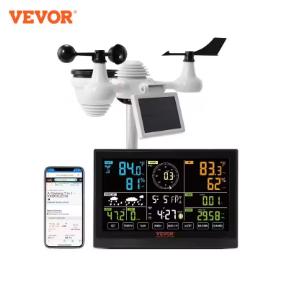
Vevor solar weather station with an external device and a large 7.5″ display is the ideal gadget for anyone who wants to keep an eye on the weather. It can forecast weather for the coming days and also measure other precise metrics. There’s also a Wi-Fi version available.
September AliExpress sale
Vevor solar weather station is available directly in the EU warehouse on the AliExpress marketplace. You can expect free delivery within 5-10 business days from dispatch. You can also find it on the official Vevor.com website directly in the EU warehouse.
The difference between the Wi-Fi version and the wireless version is that the Wi-Fi version can display data via the web interface (either Weather Underground or Weathercloud), while the wireless version shows data only on the included display.
TIPExpress delivery from a German warehouse without customs duty and VAT.
This product will be delivered to you express from a local German warehouse. Shipping from Germany usually takes 7–10 days, and delivery is handled by a courier. When it arrives, you won’t pay any extra fees—no customs duty or VAT.
TIPExpress delivery from the Czech warehouse with no customs duties and VAT.
This product will be delivered to you express from a local Czech warehouse. Delivery from the Czech Republic usually takes 7–10 days and is handled by courier. When it arrives, you don’t pay any extra fees—no customs, no VAT.
Our fan Alex recommends this weather station!
Our fan Alex ordered the Vevor solar weather station in the Wi-Fi version and left a review on our FB page, so we recommend adding yours here too—so you don’t miss the latest articles and feedback from fans!
Vevor solar weather station offers a 7.5″ display, forecast, or alarm
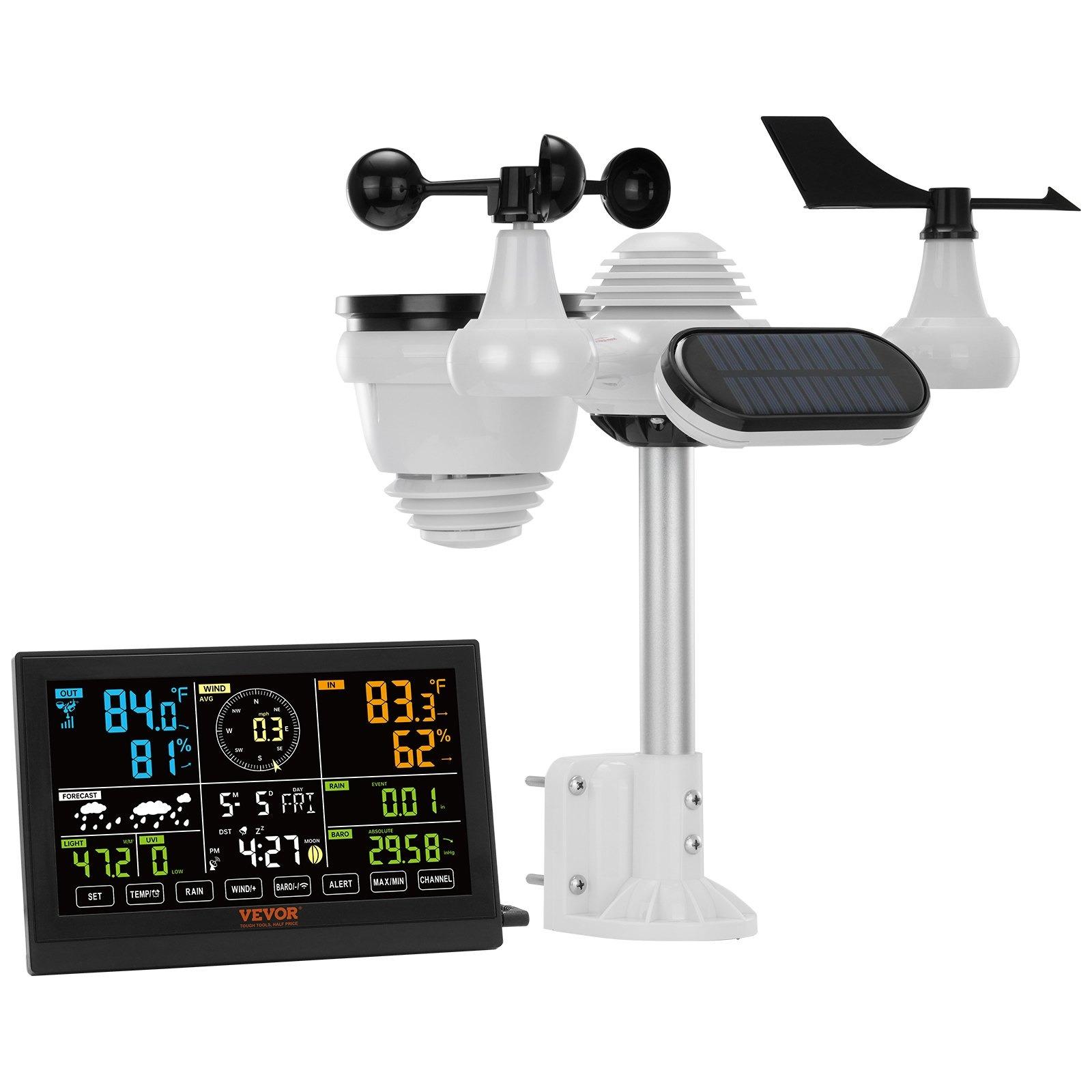
The device offered by the Vevor brand isn’t just a weather station, though. It’s a 7-in-1 multifunctional gadget with a compact body measuring 408 x 396 x 367 mm (indoor unit), and it also includes outdoor sensors that are separate—featuring an integrated solar panel for their own power, and measuring 191.6 x 127 x 28.8 mm.
The indoor unit features a colorful, up to 7.5″ LCD display that shows you the weather forecast in detail, along with other functions. You’ll also get information about indoor and outdoor humidity, wind strength and direction, pressure, the current time and date, a weather forecast for the upcoming period with a choice of Celsius degrees or Fahrenheit units, and setting an active alarm with sound notifications.
The device settings offer very simple operation. The system provides 7 different languages, including English and German, and the temperature measurement range is from – 40 ℃ to + 70 ℃. Signal transmission between the indoor and outdoor unit is supported up to 150 meters.
The package includes the Vevor solar weather station itself (indoor unit with display, outdoor sensors), as well as the required mounting accessories, a screwdriver, rubber pads, cabling, and power supply with a local mains plug (EU Plug, 220 – 240 V / 50 – 60 Hz). You’ll also find a brief user manual for setup, mounting, and the first configuration of the device in English.
The WiFi version works through a web interface
The Vevor solar weather station allows real-time data transfer via a Wi-Fi connection. All you need to do on your smartphone, tablet, or computer is go to the Weather Underground or Weathercloud web page and monitor temperature, humidity, wind speed, and light (the app isn’t available), as well as check weather conditions in every aspect—so your life becomes smarter and more comfortable.
Yes, you can connect a Vevor Wi‑Fi weather station to the LOXONE system using the data the station sends to cloud platforms like Weather Underground or Weathercloud. In Loxone Config, you just set up a Virtual HTTP input that downloads the measured values (temperature, humidity, wind direction, or light intensity) at regular intervals via a free API interface directly into the Miniserver. Alternatively, if the station supports forwarding to its own server (Custom Server) via the Ecowitt protocol, you can send the data straight to the local Miniserver IP address—giving you faster response without relying on the internet. Loxone then uses these meteorological readings to automatically pull the blinds in strong winds, provide intelligent shading based on sunlight intensity, or block irrigation during rain.






Discussion (6)
Your device is supported by ws view plus and ecowitt
So the Wi‑Fi version can work via the app too?
You didn’t find out how it is with the app? It’s been a long time since your reply—thanks.
It can be used in a browser, so it’ll work on a smartphone too.
Can it be connected to LOXONE?
Yes, you can connect a Vevor Wi‑Fi weather station to the LOXONE system using the data the station sends to cloud platforms like Weather Underground or Weathercloud. In Loxone Config, you just set up a Virtual HTTP input that downloads the measured values (temperature, humidity, wind direction, or light intensity) at regular intervals via a free API interface directly into the Miniserver. Alternatively, if the station supports forwarding to its own server (Custom Server) via the Ecowitt protocol, you can send the data straight to the local Miniserver IP address—giving you faster response without relying on the internet. Loxone then uses these meteorological readings to automatically pull the blinds in strong winds, provide intelligent shading based on sunlight intensity, or block irrigation during rain.