


If you’re the kind of person who loves tech gadgets, then this eSIM adapter is exactly the type of product that will surprise you and make you immediately say: “How is it possible that almost nobody knows about it?!” It’s a tiny physical SIM card that can add a full-featured eSIM function to your phone. It’s compatible with both Androids and iPhones and can store up to 15 different numbers. It arrives quickly from AliExpress—delivery usually takes only 10 to 15 days.
A great adapter for little money
You can find this EasyEUICC eSIM adapter on AliExpress from a verified seller. It’s in stock right in the China warehouse, but delivery is very fast—around 10 to 15 days—and the customs fee of €3.69 shows up in your cart. You can also read plenty of positive reviews where you’ll confirm that it really works.
An AliExpress eSIM adapter
 15-day delivery
TIP15-day delivery via Aliexpress Standard Shipping
For this product, Aliexpress Standard Shipping is available with guaranteed delivery within 15 days. It’s the most reliable delivery method and, in most cases, it’s handled by a courier company. The 15-day delivery is something we actually tested.
When you order from a Chinese warehouse, AliExpress adds a customs fee to your cart of about €3,70 per order. When you receive the package, you don’t pay anything extra.
What does an eSIM adapter actually do, and why is it so interesting?
This adapter lets you travel worldwide with eSIM profiles without having to deal with physical SIM cards or switch operators. Or if you’re one of the people who has an older phone, or a Chinese version without eSIM support—we’ve got great news – it can be done.


The chip uses modern synchronization and an open architecture. It lets you manage profiles, quickly rewrite them, and activate new plans when needed. Thanks to the open-source solution, you’re not locked into just one ecosystem, so you have full control over how you use eSIM.
What exactly is an eSIM?
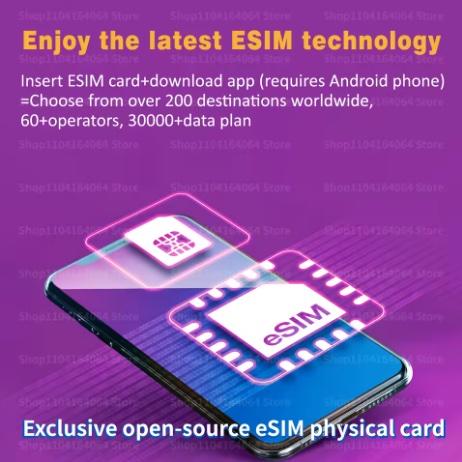
The seller’s images explain it simply: an eSIM card has the same shape as a traditional SIM, but it offers a feature that physical SIM cards never had—EID identifier, meaning the unique ID needed to activate eSIM profiles.


You insert the adapter into a regular SIM slot. If your phone has two slots, eSIM usually works in the SIM1 slot. Once inserted, the device “turns into” a model that supports eSIM—even on Chinese phone versions or older models.
What’s interesting is that Android devices can work with up to 15 eSIM profiles through this adapter. Apple devices use the eSIM adapter as a regular SIM card, and the profile is saved into it (most iPhones already have eSIM built in anyway).
Installation and usage
Using the adapter is extremely simple—the seller broke it down into three steps:
- Insert the eSIM adapter into your phone.
- Download the EasyEUICC app (Google Play or directly APK).
- In the app, scan the QR code from the package and upload the eSIM profile to the adapter.
That way, you can activate both local and global data bundles. It supports more than 60 operators, over 200 countries, and even 30,000+ data plans, which you’ll especially appreciate when traveling.
Seller’s notes:
- You should download the app only from the official link—modified versions may not be recognized by the adapter.
- Some phones don’t support eSIM in both slots, so it’s important to check compatibility.
- If anything goes wrong during setup, the seller recommends contacting support rather than leaving a rating right away—most issues can be solved using the guide.
- The adapter works on Apple devices, but you can’t switch eSIM profiles as freely as you can on Android.
How does it all work technically?
The adapter contains a microchip that appears to the phone like a normal SIM card, but enables rewriteable eSIM profiles. The EasyEUICC app acts as an interface between the operator’s QR code and saving the profile to the adapter. The advantage is an unlimited number of rewrites—you can use it over and over again.
Who is the eSIM adapter best for?
- For owners of Chinese versions of smartphones without eSIM
- For users with older phones
- For travelers using cheap data plans
- For people who don’t want to deal with physical SIM cards
Follow the China Planet website, subscribe to our monthly newsletter, and be sure to check out our Facebook page, the China Planet group, and join our Telegram, where we add the best offers and coupons from China every single day.
Don’t miss the best coupons 📩
Subscribe and we’ll email you new coupons before they expire. We only send it once a month — no spam.


Discussion (4)
Does it work on OnePlus 15, on the Chinese version from gshopper that you recommended?
Yes, of course. It works with every phone.
Hi, what’s the Google Play address of the app? I don’t want to download some…. Thanks
Try 9esim.