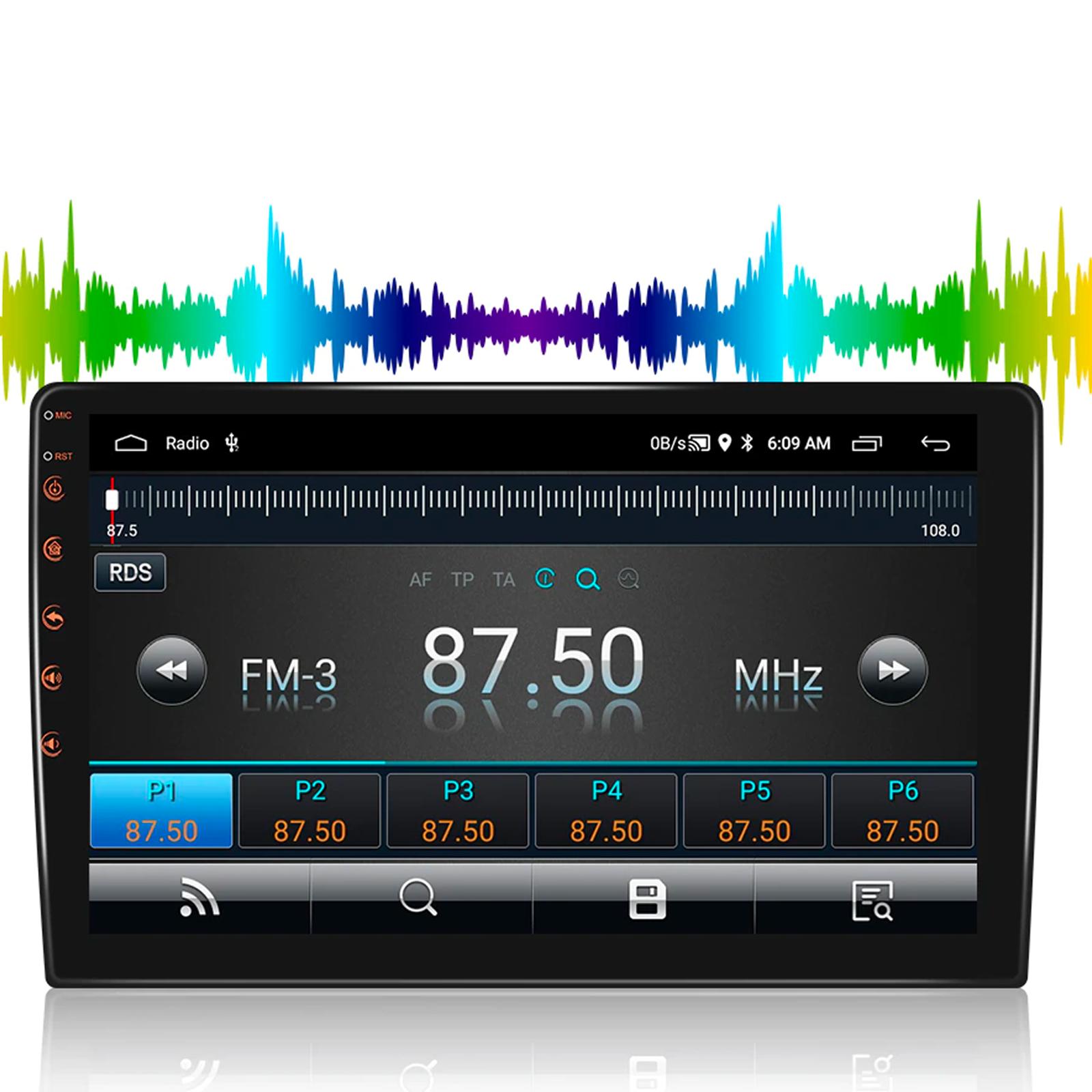
This is a Podofo 2-Din car radio that, thanks to its features, serves you as a great multimedia center in your car. The cheapest version includes 1 GB of RAM, 16 GB of internal storage, and a quad-core processor. Wi-Fi and Bluetooth functionality is also included.
AliExpress sale coupons available now!
The Podofo Android car radio is available from a verified seller on the AliExpress marketplace. With delivery from the Polish warehouse, you can expect the package at home within a single work week! There are 3 display sizes to choose from (7″/9″/10″) as well as versions supporting Android Auto and Apple Carplay—so read through all the variants carefully; their Android system version also differs.
Our links automatically select the cheapest Polish warehouse, where delivery is free. Delivery from China is paid.
Are you shopping on AliExpress for the first time?See the guide!
Updated 12. 8. 2025 at 13:45
TIPExpress delivery from the Polish warehouse with no customs duty and VAT.
This product will be delivered to you express from a local Polish warehouse. Delivery from Poland usually takes 7–10 days and is handled by a courier. When it’s delivered, you won’t pay any additional fees—no customs duty and no VAT.
Are you shopping on AliExpress for the first time?See the guide!
Updated 12. 8. 2025 at 13:45
TIPExpress delivery from the Polish warehouse with no customs duty and VAT.
This product will be delivered to you express from a local Polish warehouse. Delivery from Poland usually takes 7–10 days and is handled by a courier. When it’s delivered, you won’t pay any additional fees—no customs duty and no VAT.
Are you shopping on AliExpress for the first time?See the guide!
Updated 12. 8. 2025 at 13:45
TIPExpress delivery from the Polish warehouse with no customs duty and VAT.
This product will be delivered to you express from a local Polish warehouse. Delivery from Poland usually takes 7–10 days and is handled by a courier. When it’s delivered, you won’t pay any additional fees—no customs duty and no VAT.
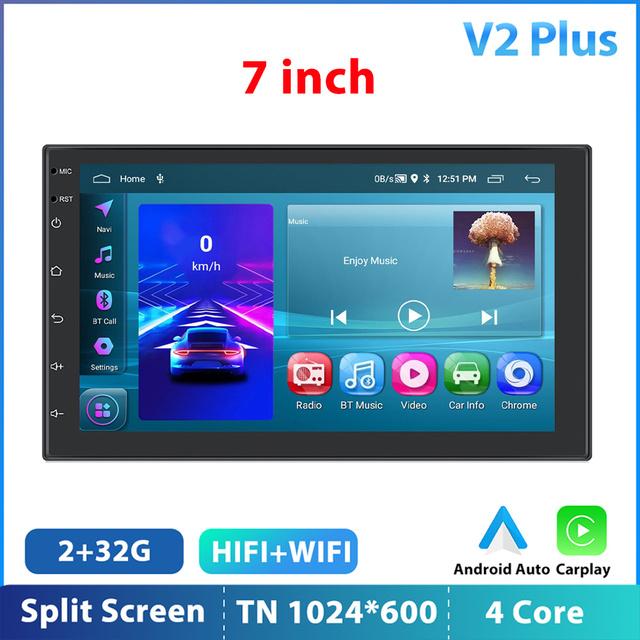
It runs on Android 11 and, besides the large touchscreen, it also offers built-in GPS, WiFi connectivity, content mirroring from your smartphone, or split-screen.
There are several variants to choose from: a 7-inch display, a 9-inch display, and also a 10-inch display. The more expensive variants labeled V2 Plus and V4Plus even include Android Auto and Apple Carplay functionality. So choose the variant you’re interested in carefully.
Ad
Here’s the specification table for each radio variant:
In the “Quick Takes” category, you’ll find fast articles with interesting products that we discovered while browsing thousands of pages on Chinese web shops and that caught our attention. The articles include a short description of the product, a coupon if available, and a purchase link. With Quick Takes, we want to offer readers the hottest products before they sell out.
I had a bad experience with Podofo—I couldn’t install some common apps from the Google store, and the screen sensitivity is poor. It wouldn’t respond to swiping and instead launched other apps. I returned it to AliExpress. I bought the Essgoo 4 64 GB.
I bought the Podofo 4/64—a terrible device. The touch sensitivity is about 2 to 3 percent. Android is weird, and it wouldn’t install Sygic or Sygic either. So I returned it.
I bought the cheapest one—0 points for the radio, basically just usable while broadcasting. It doesn’t have Android Auto or even support—somehow I managed to install the Headunit Reloaded app for 3 euros and I got AA. Everything uses the phone, so it works as it should—I use it only as a display and for audio output. It also uses GPS and everything else as the phone’s source. I listen to the radio via the TuneIn app.
Even all the Chinese brands suggest that, even the “better” ones, like HIZPO, have useless FM reception. I’ve got one for €50 and one for €200 with a 10" OLED, plus WiFi and FM/AM—but it’s all complete trash. Even connecting a signal amplifier doesn’t help. A basic old Pioneer cassette radio picks up all stations without noise. With an amplifier it even picks up Polish and Czech stations… Chinese radios are out of the question. And even the WiFi only works for channels 1, 6, and 10. The others—no, it doesn’t see them at all.
And top it off: even when it’s connected via WiFi, the internet doesn’t work—absolute nonsense.
I don’t even listen to AM, but none of the radios found anything at all, not even a single station—nothing. Not in the city either, …
And even Android 13—actually it’s basically a fake “13” mod over a 10, and the best part is the number of SDK libraries, so installing some apps doesn’t work, or after installing they don’t work either. They don’t work because the libraries are missing.
There are plenty of things that are great, but car radios aren’t one of them—garbage. Money wasted. Looks nice though, but that’s it.





Discussion (6)
I had a bad experience with Podofo—I couldn’t install some common apps from the Google store, and the screen sensitivity is poor. It wouldn’t respond to swiping and instead launched other apps. I returned it to AliExpress. I bought the Essgoo 4 64 GB.
I bought the Podofo 4/64—a terrible device. The touch sensitivity is about 2 to 3 percent. Android is weird, and it wouldn’t install Sygic or Sygic either. So I returned it.
I bought the cheapest one—0 points for the radio, basically just usable while broadcasting. It doesn’t have Android Auto or even support—somehow I managed to install the Headunit Reloaded app for 3 euros and I got AA. Everything uses the phone, so it works as it should—I use it only as a display and for audio output. It also uses GPS and everything else as the phone’s source. I listen to the radio via the TuneIn app.
Android radios with 1 or 2GB are unusable. Minimum is 4GB. I deal with installing these radios into different cars.
Hi, can you recommend something for the ASX?
Even all the Chinese brands suggest that, even the “better” ones, like HIZPO, have useless FM reception. I’ve got one for €50 and one for €200 with a 10" OLED, plus WiFi and FM/AM—but it’s all complete trash. Even connecting a signal amplifier doesn’t help. A basic old Pioneer cassette radio picks up all stations without noise. With an amplifier it even picks up Polish and Czech stations… Chinese radios are out of the question. And even the WiFi only works for channels 1, 6, and 10. The others—no, it doesn’t see them at all. And top it off: even when it’s connected via WiFi, the internet doesn’t work—absolute nonsense. I don’t even listen to AM, but none of the radios found anything at all, not even a single station—nothing. Not in the city either, … And even Android 13—actually it’s basically a fake “13” mod over a 10, and the best part is the number of SDK libraries, so installing some apps doesn’t work, or after installing they don’t work either. They don’t work because the libraries are missing.
There are plenty of things that are great, but car radios aren’t one of them—garbage. Money wasted. Looks nice though, but that’s it.