


If you regularly shop on AliExpress, you’ve probably already noticed an interesting feature called AliExpress coins. It’s a special virtual menu that you can collect every day completely free of charge. It works on a simple principle: “daily check-in,” meaning signing in to the app every day. In practice, that means that when you open the app each day, you’ll receive a reward in the form of coins. Those coins are then added to your account, and you can use them on your next purchases.
Great AliExpress tips and tricks on the FB page too
7-day check-in challenge
You can find AliExpress coins only in the mobile app. Thanks to the current promo, you can get up to 50 coins per day. After clicking the link, you need to tap the “Check-in” button and claim 5 coins. This way you can earn coins 10x per day. The 7-day check-in challenge runs from 26.9. to 2.10.
- https://s.click.aliexpress.com/e/_c2yIUSD5
- https://s.click.aliexpress.com/e/_c4SP8o5V
- https://s.click.aliexpress.com/e/_c3hJxtAF
- https://s.click.aliexpress.com/e/_c3Y06GOB
- https://s.click.aliexpress.com/e/_c4PCZC4x
- https://s.click.aliexpress.com/e/_c3wAkruP
- https://s.click.aliexpress.com/e/_c4S66tx9
- https://s.click.aliexpress.com/e/_c2I8X3wF
- https://s.click.aliexpress.com/e/_c33mtOs7
- https://s.click.aliexpress.com/e/_c3lec1Zt
- https://s.click.aliexpress.com/e/_c3Zi6i7D
- https://s.click.aliexpress.com/e/_c3rTDsJh
- https://s.click.aliexpress.com/e/_c4q8RTLl

You can get up to 70 coins every day
The longer you collect in a row, the bigger rewards await you – it’s the so-called streak system that motivates users to come back every day.

If you log in for at least 5 days in a row, you’re even eligible for 70 coins!
Open the AliExpress Coins page
All links in the article are best opened on mobile via the AliExpress app
🚀 Tip from China Planet: Add a widget to your phone’s home screen for collecting AliExpress coins, and you’ll get an extra 5 coins every day! The widget will look like this (available for iOS and Android):

What are AliExpress coins?
AliExpress coins are a digital currency that you can collect directly in the AliExpress mobile app. Coins can’t be withdrawn like cash, but they can be used as a discount credit when purchasing selected products. They’re mainly used within the so-called “Coins & Coupons” section. You can find this section right on the main page in the AliExpress app—you’ll get there through this link.
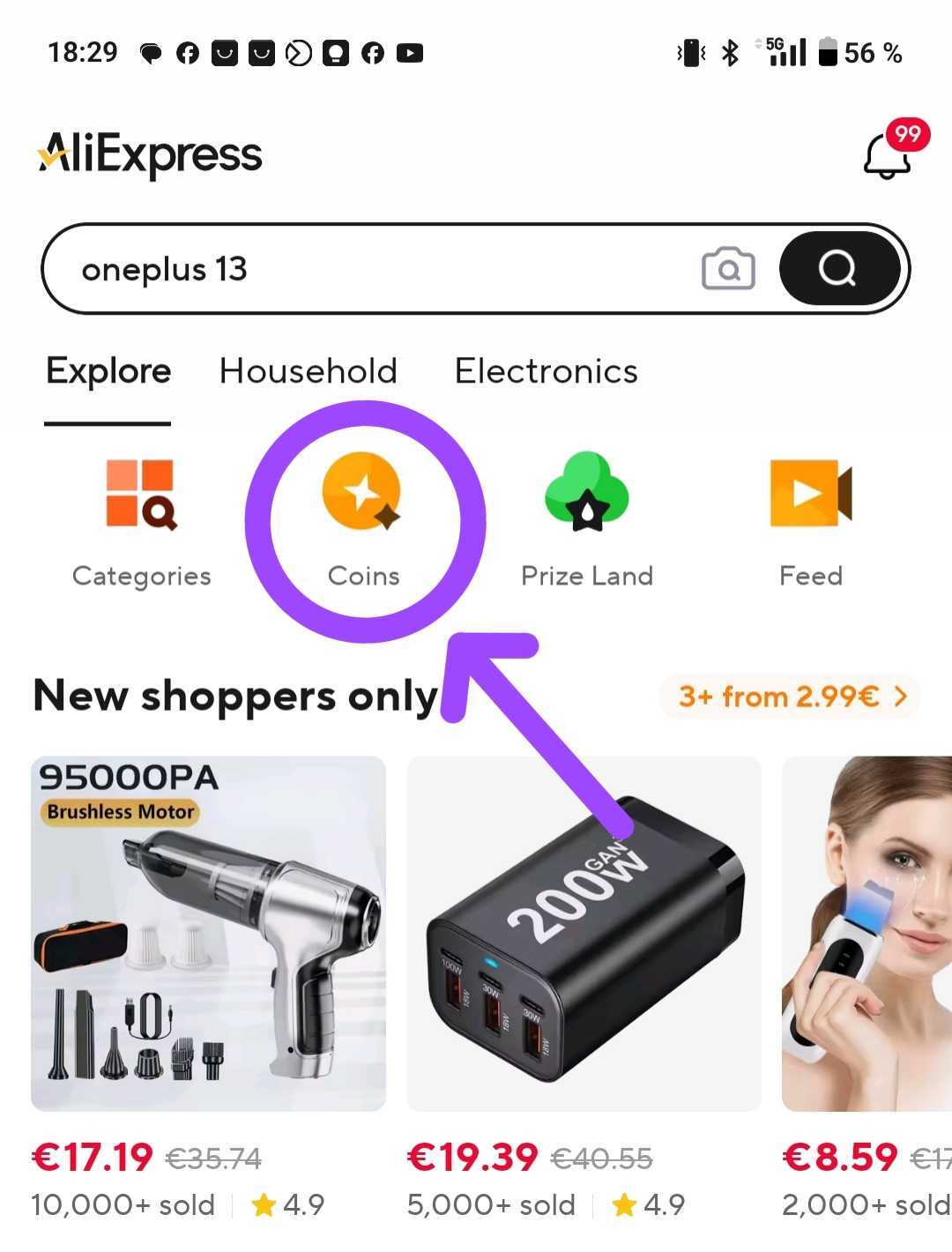
Open the AliExpress Coins page
All links in the article are best opened on mobile via the AliExpress app
The coins you earn can significantly lower the price of products, or you can even exchange them for small gifts. If you use them strategically, you can save literally dozens of euros per year.
What is the value of the coins?
100 AliExpress coins = 1 USD. This value is fixed and doesn’t change. That means that if you have, for example, 500 coins, you can use them as a discount of 5 USD on supported products.
However, coins can’t be used on every product—only on the ones that accept them. Always check whether a specific product allows you to apply coins as a discount.
How to use coins: In short
Using coins is very easy, but you need to be in the “Coins“ section. Here’s how:
- Open the AliExpress app and tap the “Coins” icon on the home screen.
- You’ll see the products where you can apply coins.
- Choose a product and at checkout the discount will be automatically calculated in the form of the available coins.
- Combine coins with discount coupons and save even more
Full guide: How to use AliExpress coins
We’ve put together a complete guide for you, where we’ll show you how to get to products where you can use coins for a discount—and how to get the most out of it.

Follow the China Planet website, subscribe to our monthly newsletter, and make sure to also check out our Facebook page, group China Planet, and subscribe to our Telegram, where we add the best offers and coupons from China every single day.
Don’t miss the best coupons 📩
Subscribe and we’ll email you new coupons before they expire. We only send it once a month — no spam.


Discussion (0)