


Verdict: Govee TV Backlight T2
Our editorial rating is based on product testing.
- Quality light strip with insulation
- Dual camera
- Accurate color synchronization
- Well-designed app
- Govee ecosystem
- On a 55" TV, the strip was too long
- Auto mode can turn the strip on even when the TV is off
- Higher price
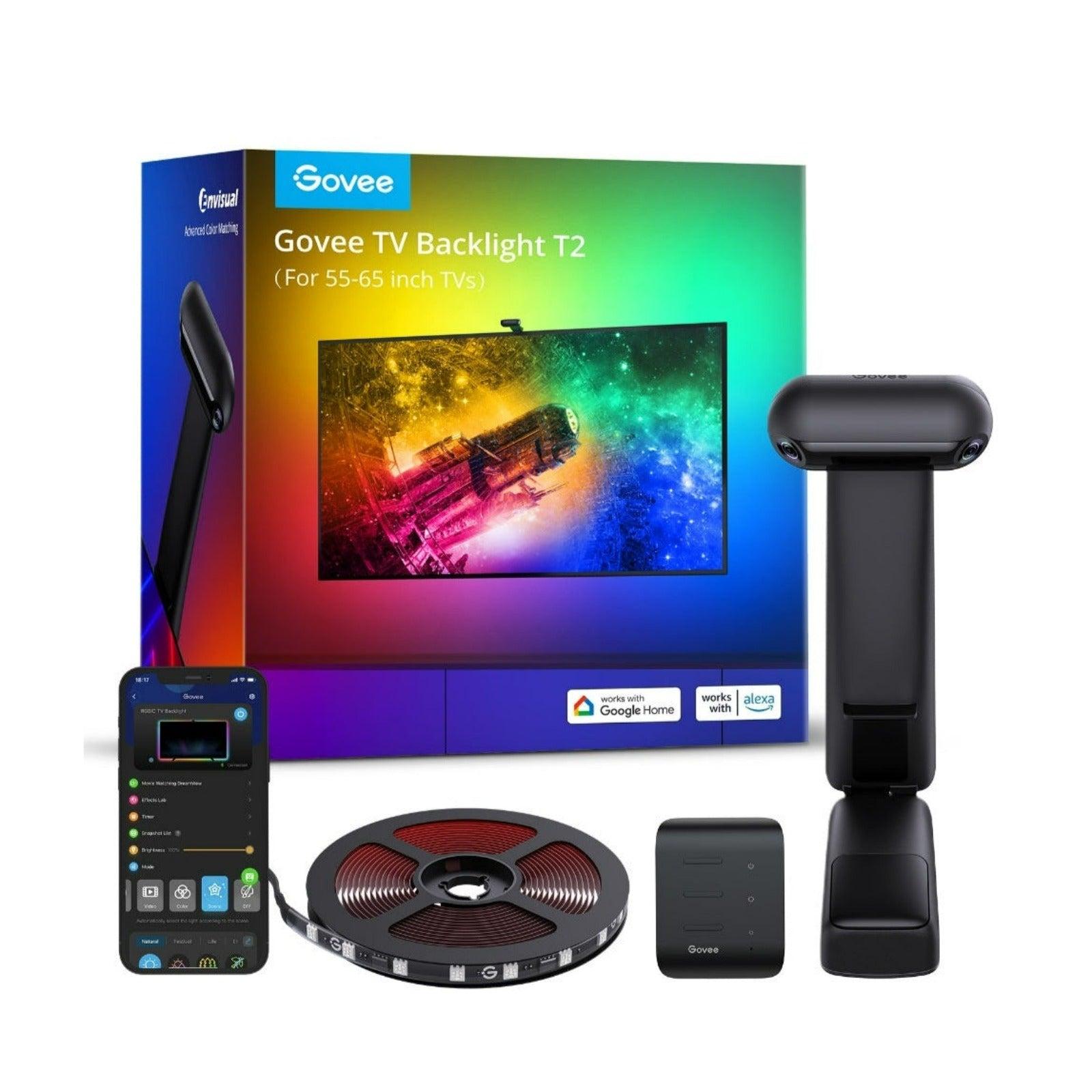
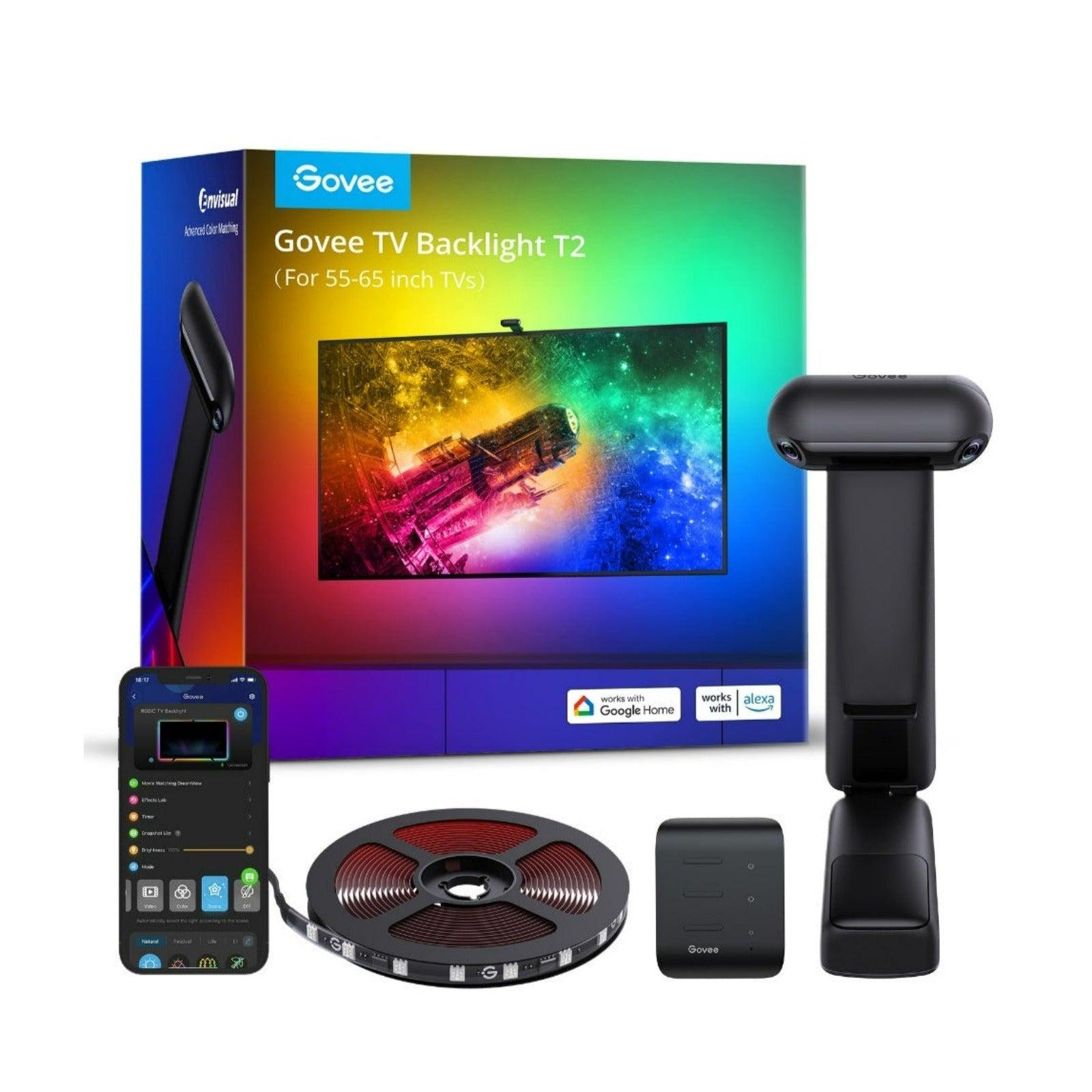
You can buy an LED strip for a few euros on AliExpress, but there are also more premium manufacturers like Govee. Is it really worth paying almost €100 extra for an “ordinary LED strip”? When it comes to the Govee TV Backlight T2, then definitely yes. It’s not “ordinary” at all—there’s a dual camera that handles color synchronization according to what’s on your TV screen, and as a bonus you get a highly detailed mobile app plus integration with other lights from the manufacturer.
With its functionality, we can definitely label this Govee LED strip as unique, because the color synchronization is very precise! We’ll break it down in detail in this review.
Where to buy it?
You can buy the Govee TV Backlight T2 directly on the manufacturer’s official European website. It’s stocked in the EU, so delivery will be very fast, with no additional charges.
Govee TV Backlight T2

TIPExpress delivery from a European warehouse without customs duty and VAT.
This product will be delivered to you express from a local warehouse in Europe. Delivery from EU warehouses usually takes 2–10 days and is handled by courier. When it arrives, you won’t pay any additional fees — no customs duty and no VAT.
TIPExpress delivery from a European warehouse without customs duty and VAT.
This product will be delivered to you express from a local warehouse in Europe. Delivery from EU warehouses usually takes 2–10 days and is handled by courier. When it arrives, you won’t pay any additional fees — no customs duty and no VAT.
Technical specifications
| - | Govee TV Backlight T2 |
|---|---|
| Model | H605C |
| Color range | RGBIC |
| Number of LEDs | 60 LEDs/m |
| Camera | dual |
| App | Govee |
| Connectivity | 2.4GHz Wi‑Fi + Bluetooth |
| Voltage | 12 V |
| Power consumption | 36 W |
| Ultra-thin TV | supports |
| Suitable for TVs | 55" – 65" / 75" – 85" |
| Control options | app; control box; voice control |
Premium packaging with everything you need
Even just looking at the box, it’s clear that Govee isn’t some rookie brand or cheap China. The packaging highlights the strip’s most important features and presents them nicely.

Inside the box you’ll find the camera itself with two lenses made from quality materials—you can tell at first glance. It’s not the lightest either, partly so it holds well on the TV and stays firmly mounted. The parts that touch the TV are made of anti-slip silicone. The top of the camera uses an interesting fabric material.

Next, the kit includes the light strip itself, wound with a silicone seal in plastic, plus plastic mounting brackets with adhesive, and an adhesive kit for securing the camera in case of need. Of course, there’s also the necessary installation manual, but we recommend watching this video, where everything is shown in a more precise and clearer way.

Installing the LED strip
The LED strip itself needs to be installed by sticking it on—just like with most other cheaper options. We recommend wiping the TV surface to remove dust, and then wiping it with a cloth with alcohol so it sticks and holds much better. In our experience, the strip sticks and holds extremely well.


We had an issue with our 55″ Samsung TV with plastic brackets, which don’t hold very well and gradually fall off. You could expect that, because the TV surface is curved on the back side, so the adhesive doesn’t perform perfectly 100%. Still, the strip holds well, and in our case the plastic holders are more of an extra.

A complication during installation was the larger size of the strip on the top side of the TV. We had to improvise a bit and gently bend the strip so it wouldn’t protrude on the side. The strip has 4 sections for bending in the corners, which the manufacturer handled very well. Cable management is then up to the end user.

The controller unit has a DC power connector, 2x USB-C connectors, and also a handy “mount” on the back side, so it can be attached to the TV. But over time, the box fell off the TV. We had no issues installing the camera—just place it perpendicular to the screen, and it stays in place very reliably.
Calibration of the light strip is very important
After physically sticking it on, it’s important to calibrate the strip directly in the app. During the initial app setup, it prompted us to set the direction of placement, which we absolutely didn’t understand, but we found out that you need to keep the original one if the strip was installed according to the video attached above.


Next, you need to calibrate the strip using the orange adhesive square stickers. You must apply them gently (or use this video and don’t stick anything physically), so you don’t damage the screen according to the instructions. Then, in the app, the user selects the screen corner points based on these stickers, and the strip can then accurately reproduce the colors.

Lighting effect modes
There are 3 main lighting modes in the app. Video Mode synchronizes colors from the screen, and this mode is what provides the so-called ambient movie experience. In our opinion, color accuracy is very high—but only in a dark room. With the light turned on, it starts throwing slightly inaccurate shades, so you should keep that in mind.


Here’s a preview of the video mode:
Music Mode works based on the built-in microphone, and depending on the higher noise in the room, it tries to make the strip glow more intensely. However, we didn’t like this mode very much. You can even set it to record audio from the device the app is paired with.

Color Mode lets you choose predefined colors or set your own color—great if you want static lighting in the room without flickering and changing shades. You can even set individual segments, because the strip is divided into several separate sections, which can be fully configured independently.


Of course, there’s also a setting for the lighting intensity in each and every mode. There’s also a Scene mode that provides a certain list of predefined effects—if you like something like that, you can play around with everything.
Controlling the light strip
There’s no remote control included. Power and basic effects can be controlled from the controller unit, but the most practical option is controlling it via the mobile app. That’s where the biggest strength of this high-quality LED strip lies. Voice control is also possible, and it can be very convenient too.

You can even avoid the annoying repeated switching on of the Govee TV Backlight T2, which we’ll explain a bit more below.

A perfect feature: Govee DreamView
The proprietary technology and feature of Govee products DreamView is based on connecting multiple lights and creating a unified smart home lighting setup. Thanks to the camera-based TV backlight, which is also provided by, for example, the affordable Govee DreamView T1 in addition to TV Backlight T2, you can create an animated room that “lives” with colors according to what’s on the screen.

If you’re a fan of LED lighting, this way you can take your movie-watching or gaming experience to a whole new level. The app setup lets you place additional lights around the room, and thanks to this function, the lights then know how they should shine. In this video, you can see how it’s possible to connect multiple lights if you have them.

This is a truly well-thought-out feature from the IoT segment by the manufacturer Govee. And that’s exactly why we have to pay extra for their LED strips or even regular lamps — the brand’s main added value is in their sophisticated ecosystem and in the app. We’ll test this feature soon thanks to the standing lamp Govee Floor Lamp Basic.
Automatic on/off switching of the strip
If you find it annoying to constantly control the strip’s power via the app or manually via the control unit, there’s also an automatic on/off function available. Our fans also wrote about this feature on Facebook, so make sure you also check our second Deal Planet page.

Automatic strip shutoff can be enabled in the app so that when the screen goes dark, the strip turns off by itself after a certain time. The problem is that it can happen when more light gets onto the screen — in that case, the strip may turn back on.
In this case, you can handle it cleverly in the app by turning the strip on only at sunset and turning the strip off at sunset. So with its developers, Govee thought of every scenario, and this is further proof that their app is truly well designed.

Final verdict: One of the best LED strips you can buy
Of course, there are more quality LED strips on the market — brands like Philips also offer excellent products — but with Govee, you also get added value in the form of a sophisticated ecosystem and a high-quality app. We’re happy with the high quality of the physical aspects, such as the complete diode insulation with silicone, the use of USB-C, all the installation accessories, and also the high-quality camera manufacturing with non-slip parts.
So we rate the Govee TV Backlight T2 very positively, and we’re really glad we’ve gotten to this brand at all for the first time — we’ll definitely be testing some more products from the brand.
As the only partner in Slovakia, we have an official collaboration with this brand — and even our own discount coupon! So definitely use the services of a European retailer: they offer very fast shipping and reliable customer support.
Govee TV Backlight T2
TIPExpress delivery from a European warehouse without customs duty and VAT.
This product will be delivered to you express from a local warehouse in Europe. Delivery from EU warehouses usually takes 2–10 days and is handled by courier. When it arrives, you won’t pay any additional fees — no customs duty and no VAT.
TIPExpress delivery from a European warehouse without customs duty and VAT.
This product will be delivered to you express from a local warehouse in Europe. Delivery from EU warehouses usually takes 2–10 days and is handled by courier. When it arrives, you won’t pay any additional fees — no customs duty and no VAT.
Don’t miss the best coupons 📩
Subscribe and we’ll email you new coupons before they expire. We only send it once a month — no spam.


Discussion (0)